Branded Audio Interface vs Motherboard Audio Driver: Which Is Better for Your PC?
Your PC’s sound
depends on a small piece of software called an audio driver. But which one
should you install: the one from your PC or motherboard brand, or the standard
one for your audio chip?
Many people think that
a branded audio driver and a motherboard audio driver are two completely
different things. Usually, they aren’t. Both work with the same Realtek audio
chip on your board. The branded one just comes from a brand like ASUS, MSI or
Gigabyte, and may add some extra settings or an app.
In this guide, we
explain the branded audio driver vs motherboard audio driver debate in simple
words, so you can pick the right one.
What Is a Branded Audio Driver?
A branded audio
driver is an audio driver package that a hardware brand, such as ASUS, Gigabyte or MSI, releases for its own boards. Many of these packages are built around
the Realtek audio
driver, with extra settings or audio effects software added by the brand.
You download it
from the support page for your exact motherboard model. Windows also lets PC
makers override the default volume and microphone boost levels of its audio
class driver for their own systems.
What Is a Motherboard Audio
Driver?
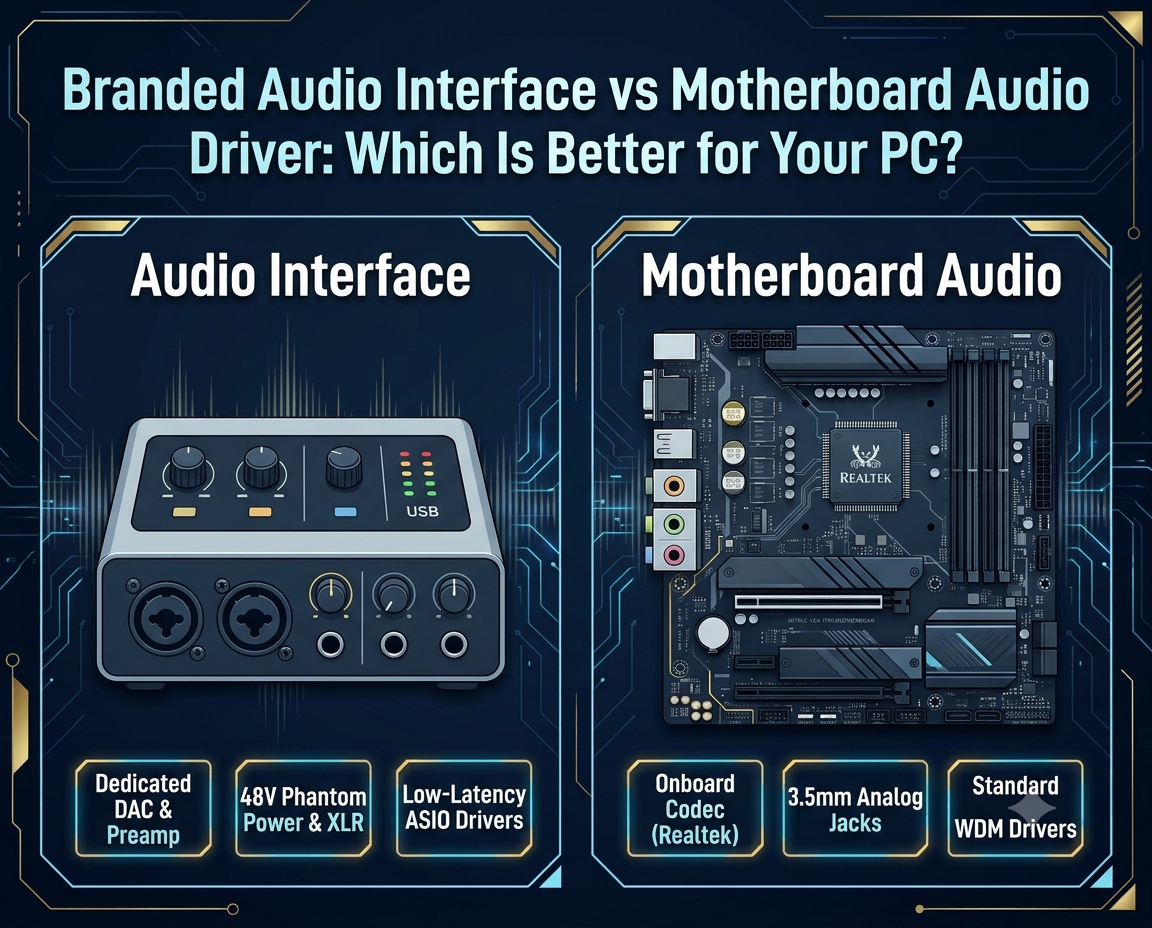
A motherboard audio
driver is the software that lets Windows talk to the onboard audio on your
motherboard. It controls the audio codec, the chip that converts sound between
digital and analog form and detects what you plug into each jack.
You can use the
standard Realtek audio driver, or the High-Definition Audio Device driver that
comes with Windows, which supports codecs that follow the Intel High-Definition
Audio standard.
Branded Audio Driver vs
Motherboard Audio Driver: Key Differences
The branded audio
driver vs motherboard audio driver choice comes down to three main things.
Audio Compatibility
The general Realtek
driver lists Windows 10 as the newest supported Windows version, so Windows 11
users should check first. A branded audio driver is listed for specific models
on the brand’s own support page.
Audio Features and Customisation
Some audio codecs
have features that only the vendor’s own driver can unlock. A branded audio
driver may add effects or settings apps, while Windows can fetch the Realtek
Audio Console after a Realtek audio driver is installed.
Performance and Sound Quality
Sound quality
depends mainly on your sound chip and hardware, not just the driver brand. We
found no verified test data showing that either option sounds better. Sound
quality depends on the audio codec, the driver and the speakers you use.
Which Audio Driver Should You
Choose for Your PC?
If your audio works
well, keep it. If a feature like the Realtek Audio Console is missing, install
the branded audio driver from your motherboard maker’s official support page.
If problems start,
open Device Manager, right-click your audio device, and choose Update driver.
Then browse your computer and pick High-Definition Audio Device from the list,
or use Roll Back Driver.
These steps work on
Windows 11 and Windows 10.
About Altair Corporation
Altair Corporation is a leading provider computer hardware and
support services in Kolkata. Our company has a decades long legacy in providing
IT sales and support in the city and around West Bengal.
We have provided
hundreds of PCs with high-quality branded audio drivers and motherboard audio
drivers to our customers in just the past 3 years.
Our customers
include large production houses, corporate offices, professional gamers and
popular content creators based in West Bengal.
Frequently Asked Questions (FAQs)
Is a Realtek audio driver better
than the Windows default audio driver?
It depends.
Realtek’s driver usually unlocks more features, while the default Windows
driver covers the basics. If the Realtek driver causes problems, testing the
generic High-Definition Audio driver is a common fix.
Do I need to install the
motherboard manufacturer’s audio driver?
Not always. Windows
can play basic sound without it. But the maker’s driver brings full features,
and some apps like Realtek Audio Console need it. Windows updates can replace
it, so recheck your driver after big updates.
Can a motherboard audio driver
affect sound quality?
Yes, in some ways.
The sound chip sets the quality limit, but the driver controls features and
settings. A generic driver may hide inputs like Line In, and effects like
equalizers change the sound.